Start with the job, not the tool
Write the real task in one sentence before opening any model. If the task is unclear to you, the model will fill gaps with confident guesses.
AI Skills & Prompt Playbooks
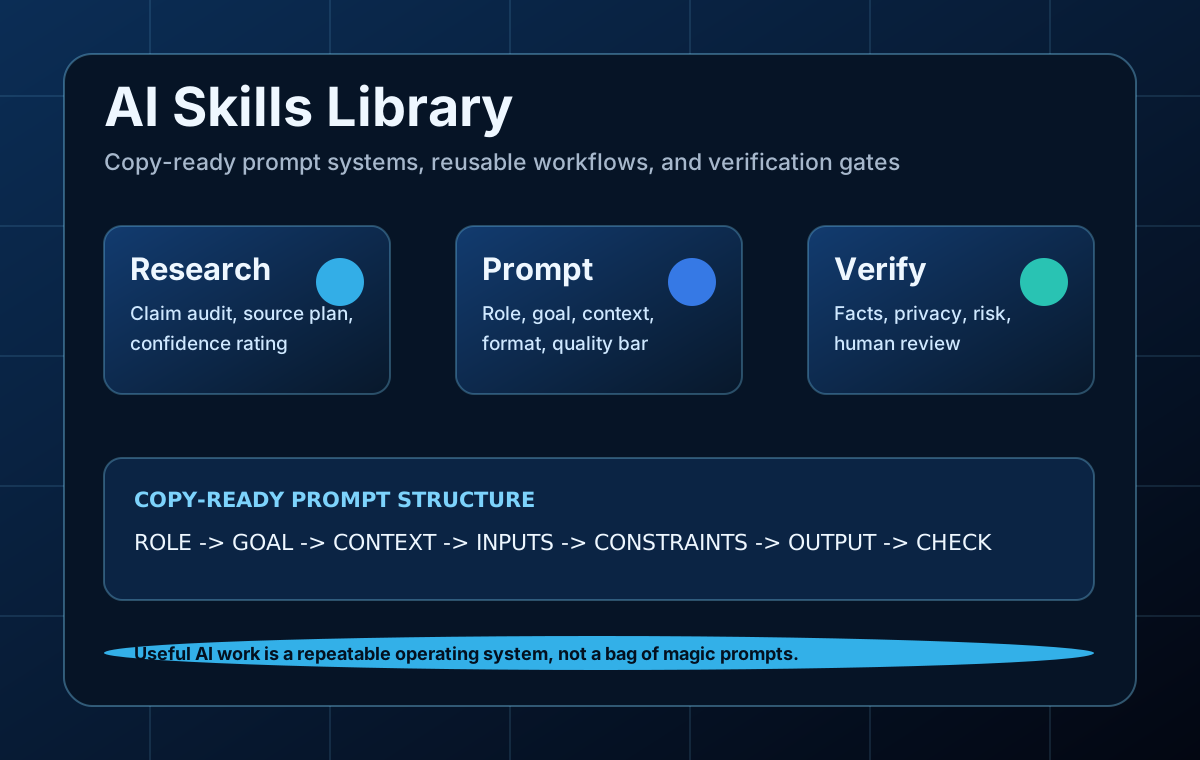
This library turns official prompt-engineering principles into practical operating cards: when to use each skill, what input to provide, the exact prompt to copy, and the quality checks that keep the output useful.
Source-backed principles
The page uses recurring guidance from OpenAI, Anthropic, Google Gemini, and Microsoft Copilot documentation, then translates it into original workflows for everyday users.
Write the real task in one sentence before opening any model. If the task is unclear to you, the model will fill gaps with confident guesses.
Use labeled sections such as Goal, Context, Inputs, Constraints, Output Format, and Verification so the model can tell what to follow and what to analyze.
If format matters, include a small example or schema. Few-shot examples are most useful when they demonstrate structure, tone, and level of detail.
Ask the model to mark assumptions, missing inputs, and claims that need human verification. This reduces polished but unsupported answers.
Use one prompt to clarify, one to outline, one to draft, and one to check. Long single prompts are harder to inspect and easier to misunderstand.
Turn prompts that worked into small skills: purpose, inputs, steps, quality bar, and failure signs. This creates compounding value instead of one-off chats.
Put instructions first, separate context with delimiters, specify format and style, use examples when needed, and ask for the behavior you want instead of only listing forbidden behavior.
AnthropicDefine success criteria before tuning prompts, use structured prompts, test outputs against evaluations, and split complex work into chained prompts when one prompt becomes overloaded.
Google GeminiUse clear instructions, constraints, response formats, examples, grounding context, and prompt iteration. For complex work, break the task into components or chained steps.
Microsoft CopilotA strong business prompt usually has a goal, context, expectations, and source material. Outputs should be reviewed and verified against trusted sources.
Prompt anatomy
If a prompt has no goal, audience, input, output format, or review rule, it is usually too weak for publishable work.
Who should the model imitate: analyst, editor, reviewer, tutor, engineer, art director.
The concrete job to finish, written in one sentence.
Audience, constraints, business purpose, date sensitivity, and source material.
The exact format: table, checklist, brief, JSON, storyboard, code review, or step list.
How the result will be judged and what it must flag instead of guessing.
Act as a [role].
Goal: [specific task].
Context: [audience, business goal, constraints].
Inputs: [paste source material].
Output format: [table, checklist, brief, JSON, steps].
Quality bar: flag uncertainty, separate facts from assumptions, and list what a human must verify before use.
Skill Playbooks
Each card is designed as a small operating procedure: the task, when to use it, workflow steps, copy-ready prompt, and the quality signal that proves it worked.
Use when: Use this when you need a reliable overview before writing, buying, investing time, or making a business decision.
Act as a research analyst.
Goal: build a source-backed brief for [decision or question].
Context: [audience, geography, date sensitivity, constraints].
Known information: [paste notes].
Tasks:
1. Restate the research question.
2. List the facts that require external verification.
3. Suggest search queries and source types.
4. Draft a brief with claim, evidence, confidence, and open questions.
Output format: executive summary, evidence table, risks, next actions.
Quality bar: separate facts from assumptions and flag anything that may be outdated.
Quality signal: A good output makes it obvious which facts are verified, which are assumptions, and which next search would improve confidence.
Use when: Use this after any model produces factual claims, pricing notes, legal-adjacent guidance, product comparisons, or medical/financial context.
Act as a verification editor.
Input answer: [paste AI answer].
Task:
1. Extract each factual claim as a separate line.
2. Label each claim: stable, time-sensitive, subjective, or unsupported.
3. For time-sensitive claims, state what source type is required.
4. Identify claims that must be removed before publication.
5. Rewrite the answer so it is cautious, useful, and source-aware.
Output format: claim audit table, verification plan, safer rewritten answer.
Quality bar: do not treat fluent writing as evidence.
Quality signal: The audit should reduce risk. If it only says 'looks good' without claim-level checks, it failed.
Use when: Use this when a prompt gives inconsistent results, ignores format, or produces generic advice.
Act as a prompt engineer.
Weak prompt: [paste prompt].
Problem with output: [what went wrong].
Target user: [who will use the answer].
Improve the prompt by adding role, goal, context, inputs, constraints, output format, examples if useful, and a verification step.
Return:
1. Diagnosis of missing context.
2. Improved copy-ready prompt.
3. Why each section was added.
4. One test case and expected output shape.
Quality bar: keep the prompt practical and avoid unnecessary complexity.
Quality signal: A refined prompt should be shorter than a process manual but specific enough that another person can reuse it.
Use when: Use this before asking Cursor, Copilot, Claude, or ChatGPT to edit an existing project.
Act as a senior software engineer preparing an implementation spec.
Goal: [feature or bugfix].
Repo context: [framework, key files, constraints].
Current behavior: [what happens now].
Desired behavior: [what should happen].
Non-goals: [what not to change].
Task:
1. Ask clarifying questions only if essential.
2. Identify likely files to inspect.
3. Write acceptance criteria.
4. Propose a minimal implementation plan.
5. List tests or manual checks.
Quality bar: prefer small, reviewable changes and do not rewrite unrelated code.
Quality signal: The spec is useful only if it prevents unnecessary edits and gives you a concrete way to verify the change.
Use when: Use this after AI changes code, before accepting a pull request, or before deploying a small tool.
Act as a strict code reviewer.
Change summary: [what changed].
Diff or code: [paste relevant diff].
Review priorities:
1. Bugs and behavioral regressions.
2. Security or privacy risks.
3. Missing tests for changed behavior.
4. Maintainability problems only if they can cause real issues.
Output format: findings ordered by severity, evidence, suggested fix, open questions.
Quality bar: do not list generic style advice unless it affects correctness.
Quality signal: A useful review points to a concrete failure mode. A weak review lists broad preferences without evidence.
Use when: Use this after drafting content for search traffic, affiliate pages, tool directories, or tutorials.
Act as an SEO editor who prioritizes helpful content.
Draft: [paste draft].
Target query: [search query].
Reader: [beginner, buyer, creator, developer].
Task:
1. Identify the search intent and missing sections.
2. Remove low-value filler.
3. Add practical examples, comparison criteria, and common mistakes.
4. Suggest internal links and disclosure notes.
5. Return a revised outline and a rewrite plan.
Quality bar: every section must help the reader decide or do something.
Quality signal: If a paragraph could appear on any AI website, it should be replaced with a concrete example, checklist, or decision rule.
Use when: Use this after calls, team discussions, voice transcripts, or client meetings.
Act as an operations assistant.
Meeting transcript or notes: [paste notes].
Task:
1. Summarize the meeting in five bullets or fewer.
2. Extract decisions that were clearly made.
3. Create an action table with task, owner, deadline, dependency, and risk.
4. List open questions that need confirmation.
5. Draft a follow-up message.
Quality bar: do not invent owners or deadlines; mark unknowns clearly.
Quality signal: The output should make follow-up faster and reduce ambiguity, not create a pretty summary with missing responsibility.
Use when: Use this before generating blog illustrations, thumbnails, product mockups, or brand visuals.
Act as an art director for AI image generation.
Goal of image: [what the image must help the reader understand].
Brand mood: [professional, playful, technical, editorial, etc.].
Must include: [subjects and objects].
Must avoid: [cliches, text errors, unsafe content, clutter].
Create three prompts:
1. Clean editorial version.
2. High-contrast thumbnail version.
3. Product-style version.
For each prompt, include composition, lighting, camera angle, style, and negative constraints.
Quality bar: the image must support the content, not just look impressive.
Quality signal: Strong image prompts are visual briefs. They control composition and purpose, not only style words.
Use when: Use this before generating Runway, Pika, Synthesia, or short social clips.
Act as a video creative director.
Video goal: [educate, sell, explain, entertain].
Audience: [who will watch].
Length: [15s, 30s, 60s, etc.].
Core message: [one sentence].
Task:
1. Write a scene-by-scene storyboard.
2. For each scene, include visual prompt, motion, duration, narration, and editing note.
3. Identify risky shots likely to fail in AI generation.
4. Suggest cheaper fallback assets.
Quality bar: every shot must support the core message.
Quality signal: A good storyboard saves credits because it tests the riskiest visual idea before generating the full video.
Use when: Use this for emails, contracts, customer messages, HR notes, health context, financial records, and internal documents.
Act as a privacy redaction assistant.
Text to prepare for AI use: [paste text].
Task:
1. Identify personal data, credentials, financial details, private business information, and sensitive internal context.
2. Replace each sensitive item with a clear placeholder such as [CUSTOMER_NAME] or [API_KEY].
3. Preserve the meaning needed for the task.
4. Return a redaction log listing what was removed by category.
Quality bar: do not remove so much context that the remaining task becomes impossible.
Quality signal: The best redaction keeps task meaning while removing details that should not be sent to a third-party model.
Prompt Library
These are not magic words. Each prompt has a use case, a copy block, and a practical check so readers know when the output is good enough.
Act as a [role].
Goal: [specific task].
Audience: [who will use the output].
Context: [business goal, constraints, background].
Inputs: [paste source material].
Output format: [table, checklist, brief, JSON, step-by-step plan].
Quality bar: separate facts from assumptions, flag uncertainty, and list what a human must verify before use.
Check: Use this when you need a reliable first version. Replace every bracket before running it.
Before answering, check whether the task has enough information.
If essential information is missing, ask up to three concise clarifying questions.
If the task is clear enough, state your assumptions in one short paragraph and proceed.
Task: [paste request]
Quality bar: do not ask questions for optional details that can be handled with reasonable assumptions.
Check: Best for complex or expensive work where a wrong first draft wastes time.
Answer the question using evidence.
Question: [question]
Known sources or notes: [paste sources if available]
Requirements:
1. Separate confirmed facts, reasonable inferences, and unknowns.
2. Cite or name the source type for important claims.
3. Flag time-sensitive claims that need current verification.
4. End with a short confidence rating and what would improve it.
Output format: concise answer, evidence table, caveats, next checks.
Check: Use current web search for claims that may have changed. Do not rely on model memory for prices, policies, or dates.
Rewrite the text for clarity and usefulness.
Audience: [reader type]
Desired tone: [plain, expert, friendly, direct]
Text: [paste text]
Rules:
1. Preserve the original meaning.
2. Do not add unsupported facts.
3. Remove repetition and vague claims.
4. Improve headings, transitions, and examples where useful.
Return: revised text, major edits made, and facts that still need verification.
Check: Good for AI content editing because it asks for a fact-safety pass, not only nicer language.
Create a decision table for [options].
User profile: [beginner, creator, developer, small business, student].
Decision criteria: [cost, speed, accuracy, ease, privacy, integrations, output quality].
Task:
1. Define each criterion in plain English.
2. Score each option from 1 to 5 only where evidence is available.
3. Explain trade-offs.
4. Recommend the best option for three different user types.
Quality bar: mark unknowns instead of inventing scores.
Check: The table should help a reader choose. If it only repeats marketing claims, revise it.
Create a beginner tutorial for [task].
Reader starting point: [what they know now].
Tools available: [tools or platform].
Constraints: [budget, time, skill level].
Output:
1. What this helps you do.
2. Before you start checklist.
3. Numbered steps with expected result after each step.
4. Common mistakes and fixes.
5. Final quality checklist.
Quality bar: every step must be observable by the reader.
Check: Useful tutorials tell readers what they should see after each step.
Diagnose why this output failed.
Original goal: [goal]
Prompt used: [prompt]
Output received: [paste output]
What is wrong: [accuracy, tone, format, missing detail, visual problem]
Task:
1. Identify likely causes.
2. Rewrite the prompt.
3. Suggest one small test before rerunning the full task.
4. Provide a checklist for judging the next output.
Quality bar: fix the prompt and the process, not just the final wording.
Check: This turns failures into reusable lessons instead of random trial and error.
Review this AI-assisted output before publication.
Output: [paste content]
Publication context: [blog, email, report, website, code, image, video]
Check for:
1. Unsupported factual claims.
2. Missing context or misleading certainty.
3. Privacy or confidential information.
4. Low-value filler.
5. Tone mismatch for the audience.
6. Actionability and next steps.
Return: pass/fail table, required fixes, optional improvements, and final publish risk.
Check: Use this as the last pass, especially for public website content.
Turn this successful AI workflow into a reusable skill card.
Workflow or prompt: [paste]
Task:
1. Name the skill.
2. Define when to use it and when not to use it.
3. List required inputs.
4. Write the copy-ready prompt.
5. Define output quality checks.
6. List failure signs and how to fix them.
Output format: skill card with sections that a beginner can follow.
Check: The goal is a small repeatable process, not a giant prompt collection.
Before and after
A better prompt does not need to be long. It needs to make the task inspectable.
Write an article about AI tools.
Write an article for beginners choosing their first AI tool stack. Compare one chatbot, one research tool, and one productivity tool by use case, cost risk, learning curve, and common mistakes. Include a disclosure note and a final decision table.
The better version defines audience, scope, comparison criteria, required sections, and monetization transparency.
Make this better.
Rewrite this landing page section for small business owners. Keep the meaning, remove vague claims, add one concrete example, and return a before/after table explaining each edit.
The better version identifies what better means and prevents the model from inventing unsupported claims.
Check my code.
Review this diff for bugs, regressions, missing tests, and security risks. Prioritize findings by severity and include the exact behavior that could fail. Ignore cosmetic style unless it affects correctness.
The better version tells the model to review like an engineer, not like a generic formatter.
Quality checklist
Use this checklist before publishing a prompt, workflow, tutorial, or AI-assisted article. If it fails, revise the page instead of adding more words.
Can a beginner understand the goal without extra explanation?
Does the prompt include the actual input material or a clear placeholder for it?
Does it specify the output format tightly enough to inspect the result?
Does it say what to do when information is missing?
Does it force source checks for claims that are current, financial, legal, medical, or product-specific?
Does it include a human review step before publishing or spending money?
Can the same prompt be reused next week with only the inputs changed?
Would the output still be useful if the model refuses to guess?
Editorial rule: useful AI content should help a reader finish a task, avoid a mistake, choose between options, or verify an answer. Anything else is filler.